
Free-Only Spending Plans That Withstand PPV Pressure
OnlyFans free pages look like the cheapest way to follow creators, but a $0 subscription price does not mean $0 spending. If your goal is a genuinely free-only month, the subscription fee is not the number that matters — the pay-per-view messages, tips, and paid chats are. This guide builds spending plans for zero-dollar pages that hold up when PPV pressure arrives mid-scroll, using the same budget frameworks BestOnlyFans applies when comparing free-tier accounts. BestOnlyFans refreshes its rankings every month.
The core problem is structural. A free page is an open tab with an unbounded upside for the creator and an unbounded downside for your card statement. Budgeting for it requires more discipline, not less, because nothing on the platform forces you to stop.

Why Free Tiers Demand More Budget Discipline Than Paid Plans
The counterintuitive part of free-tier budgeting is that a lower base price raises total risk. On a free page, $9.99 can disappear in three unlocked messages before you notice, and the page still bills as “free” in your mental accounting.

Budgeters call this spending asymmetry: the fixed side of the equation is visible and the variable side is not. A paid subscription has one line item. A free page can generate twenty small line items in a month, each individually trivial, cumulatively larger than any subscription you would have approved.
| Budget Factor | Paid Subscription Model | Free-Tier Model |
|---|---|---|
| Predictability | Fixed recurring charge, known date | Variable, driven by your own unlocks |
| Spending visibility | One statement line per creator | Many small charges, easily buried |
| Psychological friction | Decision made once at signup | Decision repeated at every PPV message |
| Total cost control | Capped by the subscription price | Uncapped unless you impose limits |
Give the page a monthly envelope the same way you would give one to takeout food or streaming add-ons, and let the envelope — not the moment — decide what you unlock.

Setting Hard Caps Before You Browse
Decide your monthly PPV ceiling on a calm day, write it down, and treat it as spent the moment you allocate it. A weekly cap of $10 to $15 per free page is a common working range for casual followers; heavy browsers often split a single $40 monthly pool across every page they follow.
Pre-commitment works because it moves the decision away from the moment of curiosity, where judgment is weakest. The list below covers five commitment devices that create friction between wanting to unlock something and actually paying for it.
- Wallet credit ceilings: top up your OnlyFans wallet with exactly your monthly cap, and never add more mid-month.
- Card-specific limits: use a single card for platform spending and set a low monthly limit with your bank.
- Browser bookmarks as friction: bookmark free pages instead of following, so browsing takes deliberate effort.
- Notification silencing: mute PPV push notifications so a message never becomes a same-minute decision.
- Calendar-blocked review sessions: schedule one 20-minute session per week instead of browsing whenever a notification lands.
Wallet credit is the strongest of these because it converts an abstract limit into a hard balance. When the balance hits zero, the decision is made for you — there is no card form to fill in at 1 a.m.
Warning: a $0.10 card verification hold is normal and gets refunded within days. If a “free page” asks for any larger upfront payment before you can view content, stop and treat it as a red flag, not a verification step.
Paid chat commonly runs $3 to $5 per message, which means a long conversation can outrun a month of PPV unlocks. Cap messages separately — for example, ten paid messages a month — and count them in the same envelope.
The PPV Cost Curve Across Content Categories
PPV density is not uniform. Some niches treat pay-per-view as the main revenue channel, while others use it occasionally to supplement tips. Knowing the typical pattern for a category helps you predict how hard a follow will push your budget before you commit to it.
OnlyFans has no built-in discovery feed, so most followers find pages through aggregators and word of mouth. That absence is why category context matters: you arrive with no expectation of how a niche prices its unlocks. BestOnlyFans ranking methodology groups pages by niche and posting cadence rather than raw popularity, because cadence is the better predictor of monthly PPV volume.
| Content Category | Typical PPV Range | Frequency Pattern |
|---|---|---|
| Cosplay / ASMR | $5 to $20 per unlock | Periodic themed drops, often announced in advance |
| Fitness / wellness | $5 to $15 per unlock | Steady, tied to program or challenge cycles |
| Lifestyle / daily | $3 to $10 per unlock | Frequent small unlocks, low individual cost |
| Gaming / streaming | $5 to $25 per unlock | Spiky, clustered around streams and events |
| Adult / explicit tiers | $10 to $50 per unlock | High-value, lower-frequency unlocks |
The same five categories, ranked from lightest to heaviest PPV pressure on a monthly budget, look like this:
- Cosplay and ASMR — predictable drops you can plan around.
- Lifestyle and daily — small unlocks that add up quietly.
- Fitness and wellness — steady cadence tied to program cycles.
- Gaming and streaming — event-driven spikes that are easy to miss in a budget.
- Adult and explicit tiers — fewer unlocks, each one a significant line item.
A practical rule: the lower the typical unlock price, the more you need a count-based cap rather than a dollar-based one. Ten $5 unlocks and one $50 unlock cost the same, but only the first pattern feels free while it is happening. Shared community threads, such as a free onlyfans discord, often circulate promo codes and trial links that reset your own spending clock, so log those in the same tracker as everything else.

Tracking Spending When Transactions Fragment
Ten separate $4 charges do not feel like $40, and wallet balances hide the moment money actually leaves your bank. If you only check the wallet, you are tracking a buffer, not your spending.
Pick one method and do it weekly, because monthly is too long a gap for fragmented charges. Over a month, a modest follower can spend more on PPV across free pages than the $4.99 to $49.99 range a single paid subscription would have cost.
- Screenshot receipts: capture the confirmation screen after every unlock and review the folder weekly.
- Spreadsheet logging: one row per charge with date, page, category, and amount.
- Weekly bank check-ins: scan the card you use for the platform and match charges to your log.
- Spending apps with category tagging: tag platform charges so they appear in one budget line.
Reconcile against the platform’s own transaction history at least once a month. Discrepancies are usually your own forgotten unlocks, but unexplained charges are worth disputing through your card issuer — the chargeback process exists for exactly that situation.
One note on fragmentation: the 20% platform fee means the creator keeps 80% of every unlock, which is why PPV pricing clusters where it does. That is context, not a budgeting factor. Your cost is the sticker price, and your tracker should record the sticker price only.
When Free Pages Convert to Paid Mid-Cycle
Free pages change. A creator can add a subscription fee at any time, and the rules on this are specific: when a price is raised, auto-renew stops, and existing access lasts until the paid period you already have ends. Nothing charges silently mid-cycle.
What does happen is a budget shock. A page that cost $0 for six months suddenly wants a base subscription somewhere in the $4.99 to $49.99 range, with most paid pages clustering between $4.99 and $15. Promotional first months can sit below the $4.99 floor — a $3 first month is legitimate — but the base price may not.
- Assess remaining paid access duration: check how long your current access runs before any new charge applies.
- Calculate equivalent PPV spend: compare the new monthly fee against what you actually spent on that page last month.
- Decide immediate cancellation versus completion: if the equivalent PPV spend was lower, cancel before renewal and keep free access to the feed.
- Reset monthly budget allocation: move the difference into your PPV envelope or into another free page you follow.
Pages that convert and then raise prices again within a few months are usually not worth keeping in the portfolio.

Building Sustainable Free-Tier Habits
Set triggers that force a look at your numbers, and the budget maintains itself without requiring daily restraint.
- Monthly statement arrival: reconcile your log against the card statement the day it posts.
- Creator posting frequency changes: a sudden increase usually precedes more PPV messages.
- PPV price increases: recheck whether the page still fits its category’s typical range.
- Duplicate content detection: if two pages post near-identical material, prune one.
- Personal spending threshold breaches: any month over your cap triggers a full portfolio review.
Most free-tier overspending comes from keeping pages you no longer actively follow, because each one still sends PPV messages. A quarterly sweep — unsubscribe from anything you have not opened in 60 days — reduces both temptation and notification volume.
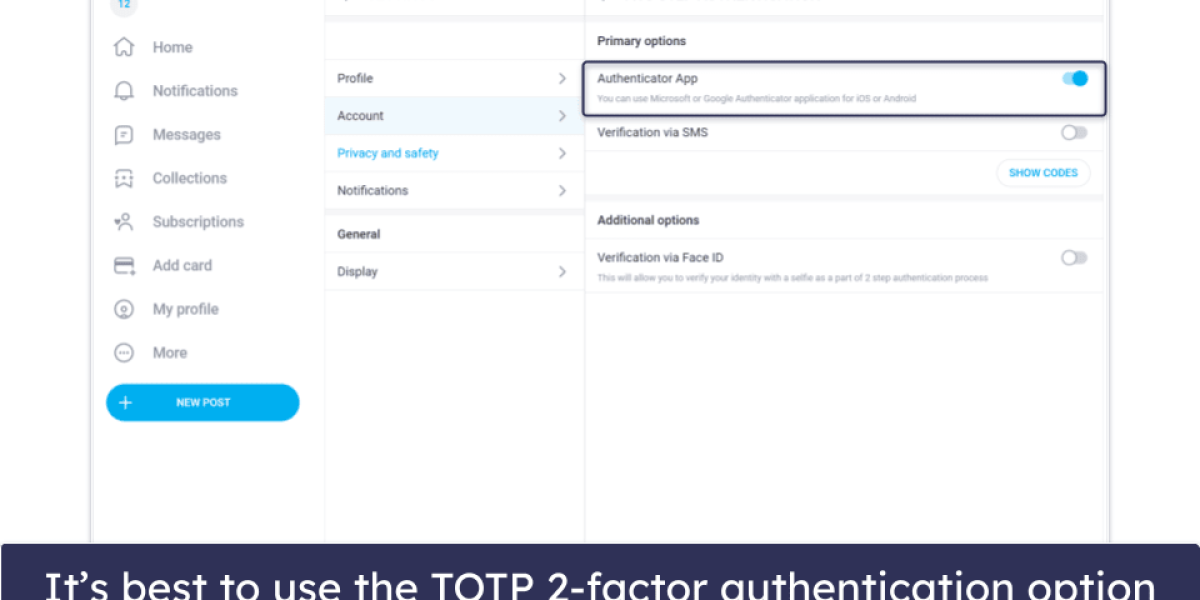
Account hygiene supports the budget too. Two-step authentication protects the wallet you have deliberately capped, and it costs nothing to enable.

If monthly free-tier spending stays below what a single paid subscription would have cost, the plan is working. If it drifts above $15 to $20, you are paying subscription money for a “free” experience, and it is time to cut pages rather than raise the cap.
FAQ
How do I stop PPV spending from accumulating on free pages?
Top up your wallet with a fixed monthly amount and never add more mid-month. Silence PPV notifications, browse only in scheduled sessions, and cap paid chat messages separately from unlocks, since messages at $3 to $5 each can outrun your PPV budget.
What happens to my wallet credit if a free page I follow switches to paid?
If you do not subscribe to the converted page, your credit stays in the wallet for other pages. If you do subscribe, the fee comes from the wallet or your card, and auto-renew only continues while you keep it enabled.
Can I set automatic spending limits on OnlyFans itself?
Limits have to come from your side: wallet top-up ceilings, a dedicated card with a bank-level monthly limit, or a prepaid balance.
How do I track spending across multiple free pages without logging into each?
Use one card for all platform charges, tag those transactions in a spending app or spreadsheet, and reconcile weekly against the card statement.